
All the biggest brands have unique ways of creating original, relevant, and entertaining content, and they typically have big marketing budgets as well. However, when someone manages a brand’s social media page or blog without help, it’s a different story. Creating branded graphics, quotes, and images for online marketing can be a time-consuming and expensive task. Below, marketers will find a list of the most popular online photo editor tools.
Canva
 Canva is a great free photo editor that’s used by millions all over the world. Marketers can use it to resize and crop photos, add text, and much more, but most like it for its unique ability to create relevant, modern graphics for use on social media pages. The sleek interface allows users to edit graphics with only a few mouse clicks, and it also gives them access to a library of royalty-free stock photos.
Infogram
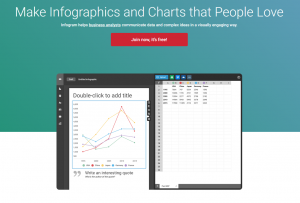 Every marketer knows infographics can boost engagement rates while increasing traffic and backlinks to a website. According to data from HubSpot, people share infographics more often than any other type of content. There’s no need to hire a designer to create effective infographics when a free photo editor can get the job done. Infogram is used by online marketers to design beautiful maps, charts, and infographics. It offers hundreds of ready-to-use designs for creation and customization of social media and blog infographics.
Adobe Spark
Created by the same team of experts who brought Photoshop to the world, Adobe Spark allows marketers to create graphics for blogs, websites, and social media pages. What makes Spark different from any other picture editor online is that it allows the user to create videos from a sound track, a collection of photos, and a voiceover. Spark also allows users to create magazine-type web stories that will keep followers engaged. It includes a variety of modern templates for different types of graphics, and it’s easy to share these graphics directly to a brand’s site, blog, or social media page. However, Spark does watermark downloaded images.
PixTeller
 This is another free photo editor with hundreds of thousands of users. While the tool’s website claims users can create designs in seconds, it takes more time than that to design a great-looking, well-crafted infographic. With PixTeller, users can create anything from a printable image to a profile header. While the free version leaves a watermark on images, users can get rid of it by upgrading to the paid plan.
Snappa
This free photo editor is very much like Canva, but its features are more limited. Snappa includes a database of free stock imagery that can be used to create banners, ads, blog and social media graphics, and more. Once the user designs a post, they can schedule it to be published by connecting Snappa and a Buffer account. Snappa isn’t the best photo editor online because the free version only allows five monthly downloads. Users will have to upgrade to the $15/month paid plan to get full template access and unlimited downloads.
Picktochart
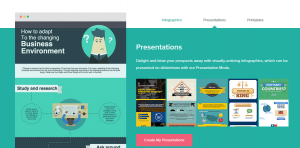 Picktochart is a useful tool for infographic creation. Similar to Infogram, it allows users to easily create charts and infographics from hundreds of available templates. Moreover, Picktochart allows marketers to download infographics in their original sizes free, albeit with a small watermark. To remove the watermark and download infographics in standard or print quality sizes, a user must upgrade to the $29 per month Pro membership.
Pixlr
Some regard Pixlr as an alternative to Photoshop, and it’s really just as powerful. Pixlr has everything a marketer needs for basic photo editing and adjustment, and the same team that created Maya and AutoCAD developed it. When a user is on a public computer or they’re quickly retouching a photo before uploading it to a site, blog, or social media page, Pixlr is the best free picture editor available. For those who need to access an offline, iOS, or Android version, those options are available as well.
Shutterstock
This free photo editor is well-known for its immense collection of stock imagery, and it’s also known for the high cost of membership. However, free users can access this high-quality image editing application as well. Shutterstock is an online picture editor that can be used to create images and graphics as well as profile covers and banners. The tool is easy to use and allows users to take advantage of a variety of templates. The Shutterstock editor lets marketers download images in multiple formats, in high resolution, and without watermarks. While a free user can create an account and use the editor, they’ll have to use their own images or upgrade to a paid plan to use the backgrounds and images in Shutterstock’s database.
In Conclusion
If a marketer wants to use Photoshop, they must purchase a Creative Cloud membership for $9.99 per month. However, it’s not necessary to spend that much money because free online photo editors can provide the same results. Companies don’t need massive marketing budgets to compete on social media, they just need good tools. With the options on this list, even a small company can be on the same level as the biggest corporations.